You’ve just purchased a ZEN S Beepings tracker and we thank you for your trust. This GPS tracker is bursting with technology. In order to take full advantage of all the features, we recommend you read the recommendations below very carefully and take the steps suggested to get started.
Product description
1 – Your user account
To enjoy the features that come with your ZEN S Beepings tracker, you must use the BEEPINGS smartphone app which is available on the App Store and on Google Play.
You must have a User Account in order to check the information sent by your ZEN S Beepings tracker and manage the features that come with Beepings services. If you already have a User Account, directly go to step 2 – Add a ZEN S Beepings tracker to your User Account. If you do not have a User Account, then you must create one.1-1. Download the free BEEPINGS app from the App store or Google Play.1-2. Create your User Account (CREATE AN ACCOUNT Button) in the app and enter the information requested.
This unique personal User Account is secure. It will allow you to manage all the features of all your Beepings trackers now and in the future.
2 – Add a ZEN S Beepings tracker to your User Account.
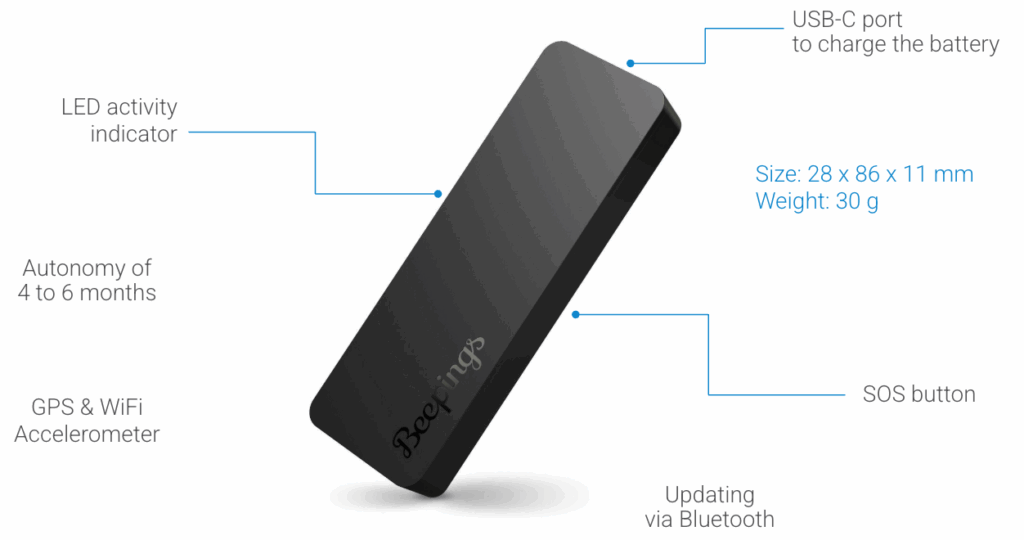
2-1. To add a new ZEN S Beepings to your account you must ensure that the Beepings is fully charged. To check this, connect the Beepings device to the USB-C cable provided. You should see the LED light up white, indicating that the Beepings is charging.
Once the battery is fully charged, press the tracker button once.
2-2. Place your Beepings close to your smartphone, activate Bluetooth on your smartphone, and then launch the Beepings app you have previously downloaded. The app should suggest you add your Beepings detected nearby.
If the app does not suggest you add the new Beepings, you can scan the QR code engraved on the back of the device or on the identification card which can be found in the box.
To do so, go to the app menu and click on “Scan Beepings".
You can personalize this tracker with a special name and picture.
3 – Activate the ZEN S Beepings tracker.
This step is very important. Your new ZEN S Beepings tracker must recover a GPS position for the first time and send it via the Ultra Narrow Band network.
3-1. Choose the location in the vehicle or the property you wish to protect. Then do a signal test to ensure that the link with Sigfox network is made.Once the location has been chosen and the test is successful, you can then consult the application.
3-2. Open the BEEPINGS app on your smartphone and go to the “My Beepings” menu. You’ll notice the new tracker is there with a “Connected” status. Select this tracker and check the map. Your tracker will have a geolocation position and you can follow and track its movements throughout Europe.
Your ZEN S Beepings tracker will send its GPS position every 5 minutes while moving.
The ZEN S tracker doesn't switch off (and therefore doesn't switch on either). It always remains active. Information about battery level and last known address is updated in the application when the Beepings emits a signal.
4 – The LED light on the ZEN S Beepings tracker.
The LED gives you the following information:
Whether the battery is charged or not
Signal test
SOS
4-1. ZEN S Beepings tracker battery charge level
To see the battery status, press the button once and release.
If the LED lights up, the tracker is charged.
If the LED does not light up, the battery is discharged.
The LED only lights up white.
To find out the exact tracker battery charge level, check the data sheet on the app using your smartphone.
4-2. Signal test
To ensure that the link with the Sigfox network has been established, send a signal test by pressing the button twice, quickly. The LED will light up white. You will receive a ‘Signal test’ notification on your smartphone.
4-3. SOS Mode
To send an SOS ALERT from your ZEN S Beepings tracker, just press the button 3 times and then release. The LED light on the tracker will then blink white. It will send an alert message with the tracker’s GPS position to the user account smartphone.
4-4. Reset
To reset your Beepings ZEN S tracker, press and hold the button for 15 seconds, then release it. The LED will light up white.
To ensure product discretion, the LED indicator does not activate while transmitting information to the server when the Beepings detects movement or is in movement.
5 – Recommendations for Use.
5-1. General Recommendations
Your ZEN S Beepings tracker is a GPS (Global Positioning System) tracker which sends information via low-frequency radio waves. Even though a ZEN S Beepings tracker can work perfectly in closed environments, the signal may be greatly impaired or blocked in basements or in certain buildings. The antennae are located on the side opposite the USB port, on the cord side. For optimum performance, prefer to position the antennae facing upwards.
Hide your ZEN S Beepings tracker on whatever you wish to secure by keeping the following tips in mind.
With its waterproof ring, your Beepings ZEN S tracker becomes waterproof (IP65). We therefore strongly recommend its use.
5-2. Tips for Use
In an electric scooter :
Do: Hide the Beepings ZEN S tracker at the front of the electric scooter platform.
Don't: Avoid installing the tracker next to the motor, in metal tubes, etc.
In an electric scooter :
Do: Hide the Beepings ZEN S tracker at the front of the electric scooter platform.
Don't: Avoid installing the tracker next to the motor, in metal tubes, etc.
On an electric bike:
Do: Choose the underside of the seat, the saddle, the frame or the battery compartment if it is made of plastic.
Don’t: Avoid sliding the tracker into the frame if it is made of metal.
In urban environments, the ZEN S is ideal, but for the following vehicles we recommend using the ZEN L.
In a Car
Do: Use the different storage pockets between the seats, compartments above the dashboard, on the back window, in the headrests, in a trunk organizer…
Don’t: Hide the tracker below the emergency tire, in a glove box, in the middle of tools, under the seat, at the back of the glove compartment or among coins or keys…
In a Car
Do: Use the different storage pockets between the seats, compartments above the dashboard, on the back window, in the headrests, in a trunk organizer…
Don’t: Hide the tracker below the emergency tire, in a glove box, in the middle of tools, under the seat, at the back of the glove compartment or among coins or keys…
On a Scooter or Motorbike
Do: Hide your ZEN S Beepings tracker in any of the various storage pockets, the plastic top case, in compartments under the seat.
Don’t: Hide the tracker in metal-covered areas, in the glove box, in the middle of tools or an anti-theft chain…
On a Scooter or Motorbike
Do: Hide your ZEN S Beepings tracker in any of the various storage pockets, the plastic top case, in compartments under the seat.
Don’t: Hide the tracker in metal-covered areas, in the glove box, in the middle of tools or an anti-theft chain…
6 – Box and ID card
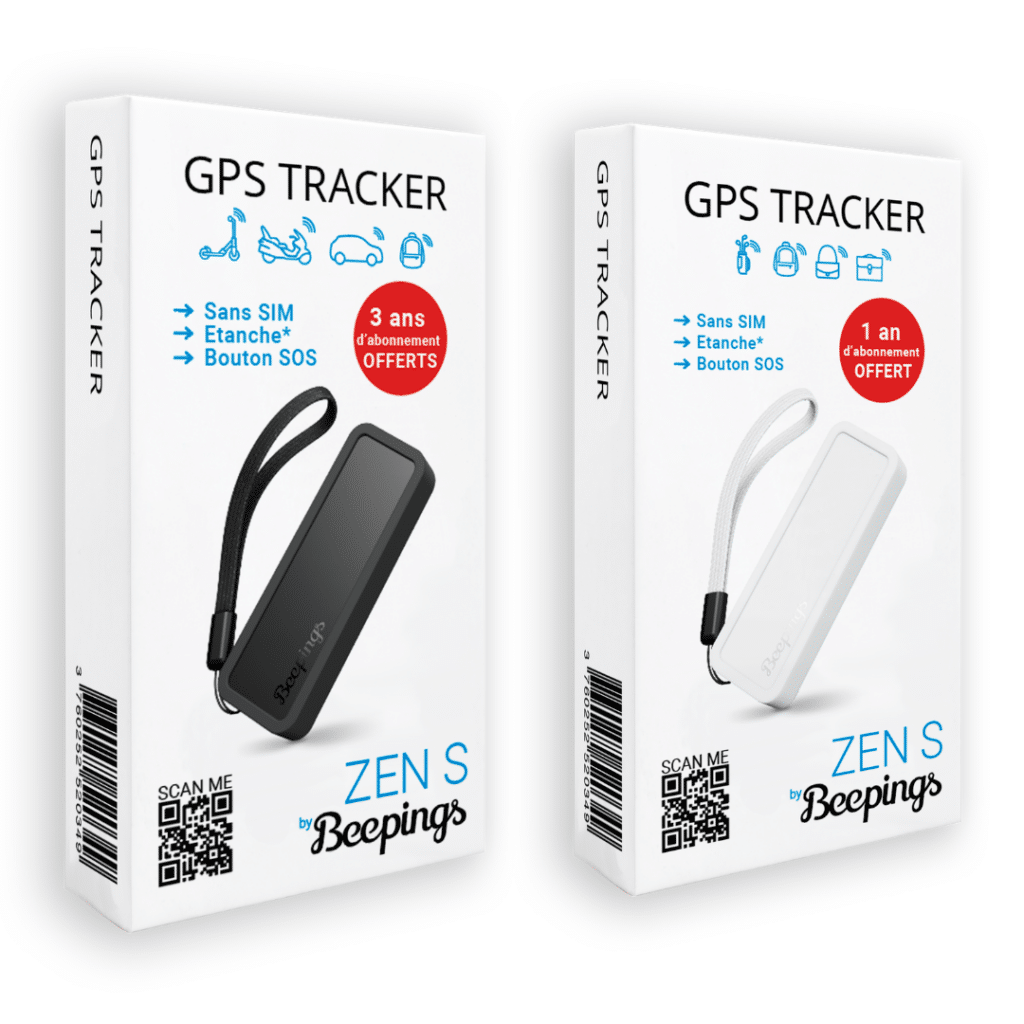
This box contains:
A GPS ZEN S by Beepings tracker
A USB-C cable
A silicone protective ring
The ID card for your Beepings (keep it somewhere safe)
Abonnez vous à notre newsletter et débloquez un code promo de 5% valable sur notre site internet.